

Music Production Hands-On Class
LEARN TO ADAPT, CREATE, RECORD, PRODUCE MUSIC
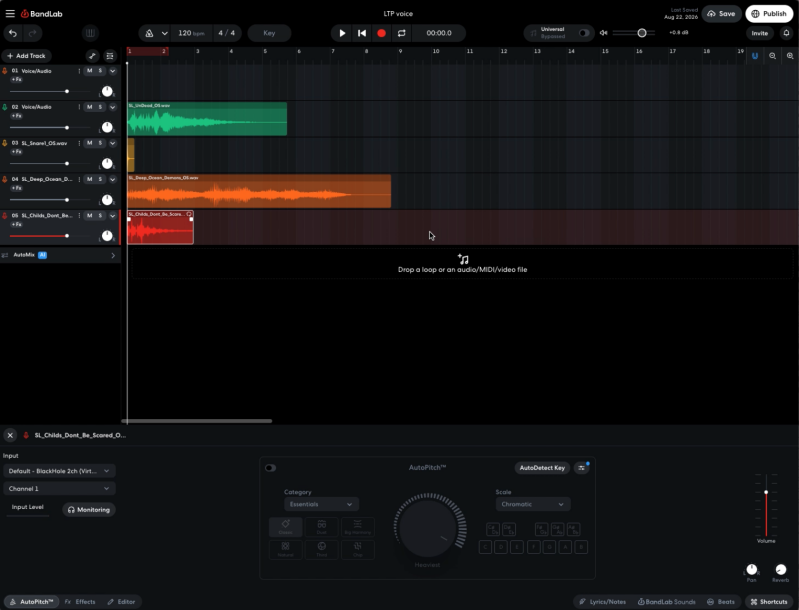
BandLab Free Features:
- Digital Audio Workstation (DAW): Record, edit, and mix multi-track music on web browsers and mobile apps.
- Creation Tools: Access a library of virtual instruments, loops, effects, and basic mastering presets.
- Cloud Storage: Save and sync your musical projects across multiple devices.
- Social Community: Share tracks, collaborate with other musicians, and build a profile.
To use virtual instruments in BandLab, open your project studio, click Add Track, and select Virtual Instruments to start playing and recording via your computer keyboard, screen, or a connected MIDI controller.
Step-by-Step Guide
- Create a Track: Open a project in the BandLab studio. Click the + Add Track button (or the plus icon on mobile) and choose Virtual Instruments.
- Choose an Instrument: By default, a piano loads. Click on the instrument icon or category name to open the sound library. Browse categories like synths, guitars, drums, bass, or strings, and tap a specific sound to load it.
- Play the Instrument: Play notes directly on your screen using the built-in virtual keyboard, turn on Smart Keys to stay in key, or type on your computer keyboard using Musical Typing. You can also plug in an external USB MIDI controller.
- Record Your Performance: Click the red Record button to capture your live playing over the project timeline.
- Edit Notes (MIDI Editor): Double-click your recorded track to open the MIDI editor. Use the pencil tool to draw notes, drag notes to change their timing or pitch, or adjust note lengths by dragging their edges.